


Why the Best Thermostat Strategies for Summer AC Savings Matter More Than You Think
Knowing the best thermostat strategies for summer AC savings can make a real difference on your monthly energy bill — especially during Northern Utah’s hottest months.
Quick Answer: Top Summer Thermostat Strategies
| Situation | Recommended Setting | Estimated Savings |
|---|---|---|
| Home during the day | 78°F | Baseline |
| Away from home (4+ hrs) | 85-88°F | Up to 10% annually |
| Sleeping | 76-78°F | ~3% per degree above 72°F |
| Vacation / Extended away | 85°F max | Minimizes runtime |
Here’s the short version of what actually works:
- Set to 78°F when you’re home — the U.S. Department of Energy’s recommended balance of comfort and efficiency
- Raise 7-10°F when you leave for four or more hours — this single habit can save up to 10% on annual cooling costs
- Never turn AC completely off — humidity and mold become real problems fast
- Use AUTO fan mode, not ON — it removes more humidity and uses less electricity
- Add ceiling fans — they make a room feel up to 4°F cooler so you can raise the thermostat without feeling it
Heating and cooling account for 52% of the average American household’s energy costs. That means your thermostat is one of the highest-leverage tools you have for controlling your utility bills. Yet most homeowners either set one temperature and forget it, or constantly adjust it manually — both of which leave real savings on the table.
The good news? A few simple, consistent habits — and the right technology to automate them — can cut your summer cooling costs significantly without making your home uncomfortable.
This guide walks through exactly how to do that, from the basic settings that work for most homes to advanced strategies for smart thermostats, heat pumps, and time-of-use electricity rates.
The Golden Rule: Best Thermostat Strategies for Summer AC Savings
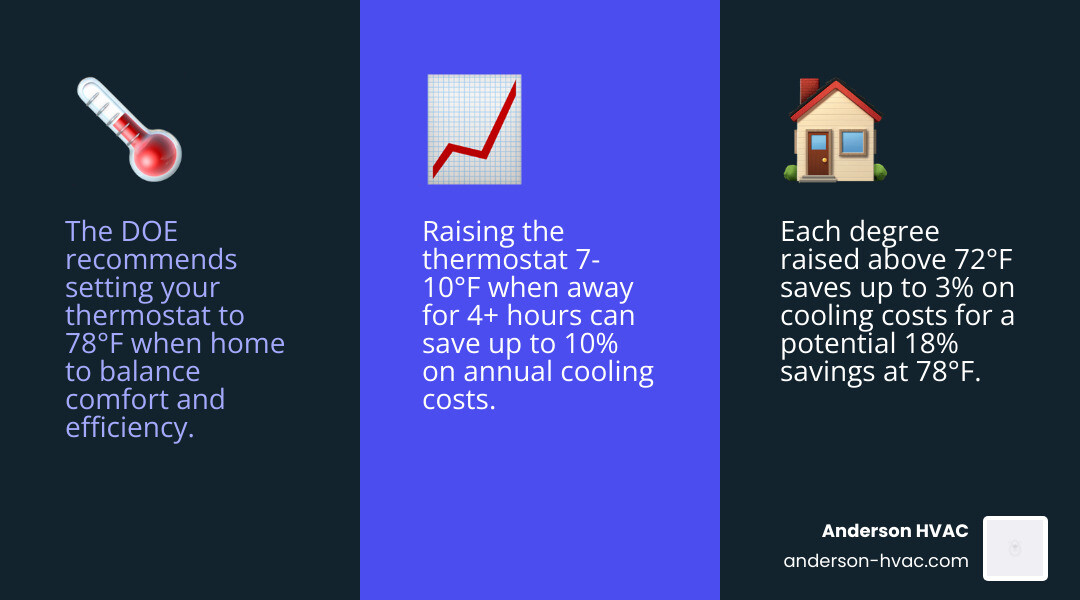
When it comes to the best thermostat strategies for summer AC savings, the Department of Energy provides a clear benchmark: 78°F. While that might sound a bit warm to those of us used to “ice box” settings in the low 70s, it represents the ideal intersection of cost-effectiveness and home protection.
The math behind this is simple but powerful. For every degree you raise your thermostat above 72°F, you can save up to 3% on your cooling costs. If you move your baseline from 72°F to 78°F, you’re looking at an immediate 18% reduction in the energy required to cool your home.
| Status | Recommended Temperature | Why It Works |
|---|---|---|
| Home & Active | 78°F | Balances comfort with lower compressor runtime. |
| Away (8+ Hours) | 85°F – 88°F | Drastically reduces energy use while you’re gone. |
| Sleeping | 76°F – 78°F | Cool enough for rest, but avoids the high cost of 70°F. |
Finding your personal “sweet spot” doesn’t have to happen overnight. We recommend a gradual approach: increase your thermostat by just one degree per day. Most people find that their bodies acclimate quickly, and you might discover that 76°F or 77°F feels perfectly fine, especially when paired with a ceiling fan. For more ways to optimize your home’s performance, check out our Anderson HVAC Energy Efficient Review 101.
Implementing the “8 is Great” Rule for Best Thermostat Strategies for Summer AC Savings
If you want to see a 10% drop in your annual cooling and heating bills, you need to master the “8 is Great” rule. This strategy involves adjusting your thermostat by 8°F for at least 8 hours a day.
Many homeowners worry that the AC will have to “work harder” to cool the house back down, potentially erasing any savings. However, the physics of heat transfer tells a different story. Homes lose (or gain) heat more slowly when the indoor temperature is closer to the outdoor temperature. By letting your home warm up to 85°F while you are at work in Layton or Kaysville, you actually slow down the rate at which heat enters your home. The energy saved by not running the AC during those 8 hours far outweighs the energy required to bring the temperature back down when you return.
Why You Should Never Turn the AC Completely Off
While raising the temperature is smart, turning the system off entirely during a May 2026 heatwave is a mistake. Your air conditioner does more than just cool the air; it acts as a giant dehumidifier.
If you shut the system down, indoor humidity levels can skyrocket past the 60% threshold. This creates a breeding ground for mold and mildew, which can damage your drywall, furniture, and even your health. Furthermore, if the house gets too hot — say, 95°F or higher — the “recovery time” needed to make the home livable again can take hours, putting immense strain on your compressor. Keeping an “away” limit of 85°F ensures your home stays protected and your system stays reliable.
Automating Efficiency with Smart and Programmable Technology
Manual adjustments are the enemy of consistency. It’s easy to forget to turn the AC up before heading to work or out for a day at Pineview Reservoir. This is where smart and programmable thermostats become essential tools for the best thermostat strategies for summer AC savings.

Modern thermostats take the guesswork out of the equation. Programmable models allow you to set a schedule based on your routine, while smart thermostats go a step further by using geofencing. Geofencing uses your phone’s GPS to detect when you’ve left a certain radius around your home in North Ogden or West Haven, automatically shifting the system into “Away” mode. To ensure your system is ready to handle these automated commands efficiently, consider our guide on how to Prevent Costly Summer Breakdowns with a Professional AC Tune-Up.
Leveraging Smart Technology for Best Thermostat Strategies for Summer AC Savings
Smart thermostats are more than just fancy Wi-Fi-connected screens. They utilize learning algorithms that study how quickly your home heats up and cools down.
- Adaptive Recovery: Instead of starting the AC exactly at 5:00 PM when you walk in the door, a smart thermostat knows it takes 45 minutes to drop the temp by 4 degrees. It will start the cooling process at 4:15 PM so it’s exactly 78°F the moment you arrive.
- Energy Reports: Most smart models provide monthly breakdowns showing exactly when and why your AC ran, helping you identify further areas for savings.
- Occupancy Sensors: Remote sensors can detect which rooms are actually being used, ensuring you aren’t wasting energy cooling an empty guest room or formal dining area.
Optimal Placement for Thermostat Accuracy
Even the smartest thermostat will fail if it’s placed in the wrong spot. To get an accurate reading, your thermostat must be installed on an interior wall, away from direct sunlight, which can “trick” the sensor into thinking the house is much hotter than it actually is.
Avoid placing it near drafts from windows, doorways, or skylights. It should also be kept clear of furniture that might block natural air currents. If your thermostat is currently in a “hot spot,” it might be causing your AC to short cycle or run longer than necessary.
Advanced Tactics: Heat Pumps, Humidity, and Time-of-Use Rates
For residents in Northern Utah using heat pumps, the rules change slightly. Heat pumps are incredibly efficient, but they can be sensitive to large temperature swings. When recovering from a setback in the winter, they might engage “emergency heat” (electric resistance strips), which is very expensive. In the summer, however, they function much like a standard AC. You can safely use setbacks, but we generally recommend smaller, more frequent adjustments rather than one massive 10-degree jump to keep the system in its most efficient operating range. For a deeper dive into what your system needs, see Everything Your HVAC Tech Should Check During a Tune-Up.
Navigating Time-of-Use (TOU) Electricity Rates
Many utility structures now use Time-of-Use (TOU) rates, where electricity is significantly more expensive during “peak” hours (typically late afternoon and early evening).
The most effective strategy here is pre-cooling. By setting your thermostat to 74°F or 75°F in the early morning when rates are low and the air is cool, you “bank” thermal mass in your walls and furniture. When the peak rate window hits, you can raise your thermostat to 80°F. Your home will slowly “coast” through the expensive hours, staying comfortable because the structure itself was thoroughly cooled earlier in the day.
How Humidity Dictates Your Comfort Setpoint
It isn’t just the heat; it’s the humidity. High moisture levels interfere with your body’s ability to cool itself through evaporation. If your home’s humidity is above 50%, 78°F will feel oppressive. If you can maintain humidity around 40-45%, 78°F feels quite pleasant.
Variable-speed AC systems are champions of humidity control because they run for longer cycles at lower speeds, allowing them to pull more moisture out of the air. Keeping your system clean is vital for this process; as we always say, Keep Your Coils Clean or Pay the Price Later. Dirty coils reduce the system’s ability to remove latent heat (moisture), making you feel warmer even if the thermometer says otherwise.
Complementary Habits to Boost Your Best Thermostat Strategies for Summer AC Savings
Your thermostat doesn’t work in a vacuum. To truly maximize the best thermostat strategies for summer AC savings, you need to look at the “house as a system.”
The humble ceiling fan is your best friend in May and throughout the summer. By ensuring your fans are rotating counterclockwise, they create a downdraft that produces a “wind chill” effect. This doesn’t actually lower the room temperature, but it makes the people in the room feel up to 4°F cooler. This allows you to set the thermostat to 80°F while feeling like it’s 76°F. Since a fan costs about 90% less to operate than an AC, the savings are massive. Just remember: fans cool people, not rooms. Turn them off when you leave!
Natural Cooling and Heat Gain Prevention
Before you even touch the thermostat, try to prevent heat from entering your home in the first place:
- Window Treatments: Close blinds and curtains on the south and west-facing sides of your home during the day. This can reduce solar heat gain by as much as 33%.
- Strategic Shading: Carefully positioned trees can reduce cooling costs by up to 25%. Tree-shaded neighborhoods in Syracuse or Clinton can be 3 to 6 degrees cooler than treeless areas.
- Appliance Timing: Your oven, dishwasher, and dryer are secret heaters. Use them after 8:00 PM to avoid fighting your AC during the hottest part of the day.
- Low-E Film: Applying thermal film to windows can block a significant portion of UV rays without sacrificing your view of the Wasatch Mountains.
The Critical Role of System Maintenance
An unmaintained AC unit can use 5% to 15% more energy than a clean one. Something as simple as a dirty air filter restricts airflow, forcing the blower motor to work harder and run longer. We recommend checking your filters every month during the peak of summer.
A professional tune-up ensures that your refrigerant levels are correct and that all electrical components are drawing the proper amperage. If you’re wondering when to pull the trigger on service, read about The Best Time to Schedule Your Annual AC Tune-Up. A well-maintained system responds more accurately to thermostat changes and lasts years longer.
Common Mistakes to Avoid for Maximum Efficiency
Even with the best intentions, many homeowners fall into traps that waste energy.
- The “Cranking It Down” Myth: Setting your thermostat to 60°F will NOT cool your house faster. Most AC systems are either “on” or “off.” They deliver a steady stream of cold air regardless of the setting. Cranking it down just ensures the system runs past your comfort point, wasting money.
- Short Cycling: This happens when a thermostat is poorly placed or the system is oversized. The AC turns on and off rapidly, which is the most energy-intensive part of the cycle and causes excessive wear.
- Obstructed Vents: Closing vents in “unused” rooms can actually increase pressure in your ductwork, leading to leaks and reduced efficiency. Keep your vents open to maintain proper system balance.
- Ignoring “Auto” vs “On”: Setting the fan to “On” means it runs 24/7. This not only uses more electricity but can actually blow moisture back into your home that the AC just worked to remove. Stick to “Auto.”
Frequently Asked Questions about Summer Thermostat Settings
What is the best temperature for sleeping in the summer?
While the DOE suggests 82°F for sleep, most people find that unrealistic. A range of 76°F to 78°F is a better compromise. If you need it cooler, use a bedside fan to create targeted airflow, which is much cheaper than cooling the entire house to 70°F.
Does raising the thermostat 7 degrees really save 10%?
Yes, provided you do it for at least 8 hours a day. This is a well-documented statistic from the Department of Energy. The longer you maintain the setback, the more you save because the rate of heat gain into your home slows down as the indoor and outdoor temperatures get closer.
Should I use the “On” or “Auto” fan setting?
Always use “Auto” in the summer. When the fan is set to “On,” it continues to run after the cooling cycle ends. This can evaporate the water sitting on your cooling coils and blow it back into your house, raising the humidity and making you feel warmer.
Conclusion
Mastering the best thermostat strategies for summer AC savings is all about consistency and smart automation. By embracing the 78°F baseline, utilizing the “8 is Great” rule for setbacks, and supporting your AC with fans and window treatments, you can stay cool without the dread of a massive utility bill.
At Anderson HVAC, we’ve spent over 40 years helping our neighbors in North Ogden, Roy, and throughout Northern Utah stay comfortable. As a family-owned business, we know that every dollar saved on energy is a dollar that stays with your family. Whether you need a smart thermostat installation, a seasonal tune-up, or a full system upgrade, our experienced technicians are here to provide the personalized service you deserve.
Ready to optimize your home’s comfort and efficiency? Schedule your professional air conditioning services in North Ogden today and let our family take care of yours.

